Published on:
10 min read
Graphic Design Software Trends: What Creators Use Now
Graphic design software has changed dramatically in the last few years, and creators are no longer choosing tools based on brand loyalty alone. Today’s designers, marketers, content teams, and solo creators care about speed, collaboration, AI assistance, file compatibility, and pricing just as much as raw creative power. This article breaks down the software trends shaping modern design workflows, from the continued dominance of Adobe apps to the rapid rise of Figma, Canva, Affinity, and AI-powered tools that help teams produce more without sacrificing quality. You’ll see where each platform fits, what working designers are actually using, the tradeoffs between all-in-one convenience and specialist depth, and how to choose a stack that matches your budget and projects. If you want practical insight rather than generic software lists, this guide will help you make smarter decisions.
- •Why the graphic design software landscape looks different now
- •Adobe is still the professional default, but the reasons are changing
- •Figma, Canva, and Affinity are winning for very different reasons
- •AI is changing design workflows, but not in the way many people expected
- •What real creators are using now, from solo freelancers to in-house teams
- •How to choose the right software stack in 2026 without wasting money
- •Key Takeaways and practical next steps for creators
Why the graphic design software landscape looks different now
Graphic design software used to be a relatively simple choice. If you worked professionally, you learned Adobe Photoshop, Illustrator, and InDesign, then built your workflow around them. That is still true in many studios, agencies, and in-house teams, but the market has shifted because the work itself has changed. Designers are no longer producing only print layouts, brand systems, and static ads. They are creating social content, UI mockups, pitch decks, video thumbnails, product illustrations, e-commerce assets, and collaborative marketing campaigns that need approval fast.
That shift has opened the door for software built around speed and teamwork rather than deep legacy feature sets. Figma became a standard in product and interface design because multiple people could work in one file at the same time. Canva exploded because it made non-designers productive without a steep learning curve. Affinity attracted freelancers and small studios that wanted pro-grade tools without recurring subscriptions. At the same time, Adobe kept its place by expanding Creative Cloud, adding Firefly AI features, and strengthening cross-app workflows.
Why this matters is simple: the best software today depends more on your workflow than your job title. A solo YouTube creator may get more value from Canva and Photoshop than from InDesign. A startup product team may live in Figma all day and rarely open Illustrator. A branding freelancer might combine Illustrator, Procreate, and Affinity Publisher depending on the project.
The trend is not one winner replacing everyone else. It is specialization, overlap, and tool stacking. Creators now choose software ecosystems, not just individual apps.
Adobe is still the professional default, but the reasons are changing
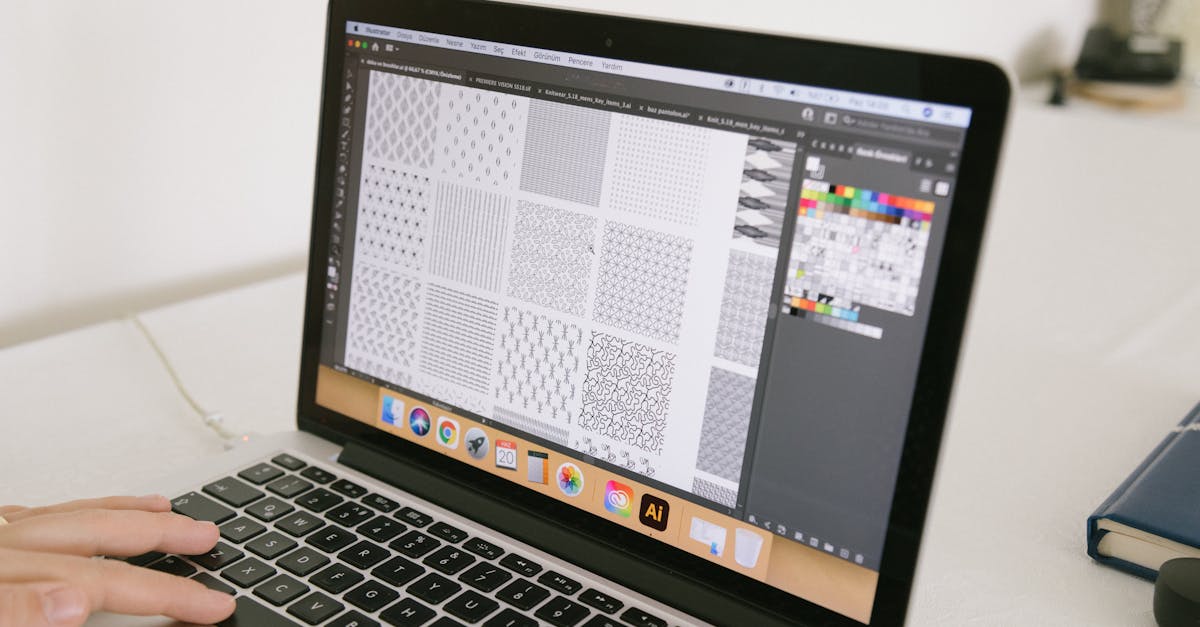
Adobe remains the most widely recognized professional design ecosystem, but its current strength is less about monopoly and more about integration. Photoshop is still the benchmark for photo manipulation and advanced raster editing. Illustrator remains essential for logo design, vector artwork, packaging, and scalable brand assets. InDesign is still difficult to beat for multi-page editorial, reports, and print-ready layouts. For many agencies, the question is not whether Adobe is best in every category, but whether any other stack can replace the total workflow as cleanly.
Adobe’s advantage also shows up in hiring. Across job postings for graphic designer, brand designer, and marketing designer roles, Adobe app proficiency is still one of the most common requirements. In practical terms, that means creators who want maximum employability often keep Adobe skills current even if they use other tools daily. Firefly-powered features such as Generative Fill and Generative Expand have also helped Adobe stay relevant in AI-assisted workflows, especially for fast campaign production.
That said, Adobe’s value proposition is under more scrutiny than ever.
Pros:
- Best-in-class depth for advanced image, vector, and print work
- Strong file compatibility across agencies, printers, and clients
- Mature ecosystem with plugins, fonts, stock assets, and training resources
- Subscription cost is a pain point for freelancers and hobbyists
- Some apps feel heavyweight for quick-turn social or collaborative tasks
- Teams often pay for features they rarely use
Figma, Canva, and Affinity are winning for very different reasons
The most important trend outside Adobe is that challengers are not competing on the same terms. Figma, Canva, and Affinity each win because they solve different creator problems. Figma is strongest where design overlaps with product, systems, and collaboration. Canva dominates when speed, templates, and broad accessibility matter most. Affinity appeals to cost-conscious professionals who still want precision and ownership rather than a perpetual subscription.
Figma’s rise is tied to modern digital teams. Product designers, marketers, UX writers, and developers can all comment in one place, inspect components, and move quickly from wireframes to polished screens. In many startups, Figma is not just a design app but a communication layer for the whole product team. Canva, by contrast, thrives in content-heavy environments. Small businesses, social media managers, educators, and creators can turn out branded graphics in minutes. That has made it especially valuable for teams where not everyone is formally trained in design.
Affinity’s growth is quieter but meaningful. Its one-time purchase model has made Designer, Photo, and Publisher attractive to freelancers, students, and print-focused professionals who want capable software without recurring fees.
Here is how creators typically evaluate the three:
Pros:
- Figma excels at collaborative interface and digital system design
- Canva is unmatched for speed, templating, and non-designer usability
- Affinity offers strong value and solid performance at a lower long-term cost
- Figma is less suited to advanced print production than InDesign
- Canva can feel restrictive for original high-craft visual work
- Affinity has smaller plugin and training ecosystems than Adobe
AI is changing design workflows, but not in the way many people expected
The biggest software trend in design is AI, but the real story is not that AI replaces designers. It is that AI removes low-value friction. The most widely adopted AI features right now are not one-click logo generators or fully automated branding systems. They are practical assistants built into existing tools: background removal, image extension, object cleanup, text-to-image concepting, layout suggestions, caption generation, and faster asset resizing.
Adobe Firefly, Canva Magic Design, Microsoft Designer, and newer AI-enhanced editing tools have all pushed this shift. A marketing team that once spent two hours resizing campaign assets for six ad placements can now do much of that work in minutes. A solo creator can mock up multiple thumbnail directions before refining one manually. An e-commerce team can remove product photo backgrounds at scale without outsourcing every edit.
Still, AI introduces tradeoffs that experienced creators are learning to manage.
Pros:
- Speeds up repetitive tasks and rough ideation dramatically
- Helps small teams produce more content with fewer bottlenecks
- Lowers technical barriers for basic visual production
- Results often need heavy human refinement to feel on-brand
- Copyright, training-data, and licensing questions remain active concerns
- Overuse can flatten originality, especially when teams rely on generic prompts
What real creators are using now, from solo freelancers to in-house teams
If you look at how software is used in the field, one pattern stands out: very few serious creators rely on a single tool. Instead, they assemble stacks based on output type, team structure, and budget. A freelance brand designer might sketch concepts in Procreate on an iPad, finalize vector marks in Illustrator, and present a small style guide in InDesign or Affinity Publisher. A social media manager may build weekly content in Canva, retouch hero images in Photoshop, and use CapCut or Premiere Pro for motion assets. A SaaS product team often lives in Figma for interface work, then exports assets into Adobe apps only when marketing or illustration needs become more specialized.
This mixed-tool reality is especially obvious in in-house marketing teams. One person may be the trained designer, while others in content or sales need fast access to editable templates. That is why many companies keep Adobe for core brand work but adopt Canva for team-wide execution. It creates a controlled system rather than a free-for-all.
A practical way to compare the most common tools is to look at their strongest use cases and tradeoffs side by side.
| Tool | Best For | Typical User | Main Limitation |
|---|---|---|---|
| Adobe Creative Cloud | Advanced branding, photo editing, vector work, print production | Professional designers, agencies, in-house creative teams | Higher recurring cost and steeper learning curve |
| Figma | UI design, prototyping, collaboration, design systems | Product teams, UX designers, startups | Less ideal for deep print and image editing tasks |
| Canva | Social graphics, presentations, quick branded content | Marketers, small businesses, non-designers, creators | Limited control for highly custom craft-heavy work |
| Affinity Suite | Professional design on a lower long-term budget | Freelancers, students, small studios | Smaller ecosystem and fewer industry-standard handoff habits |
How to choose the right software stack in 2026 without wasting money
Choosing design software is easier when you stop asking, what is the best tool, and start asking, what work do I produce every week? That question usually reveals whether you need depth, speed, collaboration, or affordability. For example, if 70 percent of your output is social media, presentations, and simple campaign graphics, a Canva-centered workflow may be more efficient than paying for a full Adobe subscription. If you create brand identities, packaging, and client-ready vector assets, Illustrator and Photoshop may still earn their cost quickly.
A smart buying decision also considers handoff. If your files go to printers, agencies, enterprise clients, or other specialists, industry-standard formats matter. If your work stays internal and moves fast, convenience matters more. This is why software choice is often a business decision, not just a creative one.
Use this framework before you commit:
- List your top three recurring project types
- Identify who needs to edit, review, or approve files
- Check whether you need offline access, print output, or plugin support
- Compare annual cost, not just monthly price
- Test workflow speed with a real project, not a feature list
| Scenario | Recommended Stack | Why It Works | Budget Logic |
|---|---|---|---|
| Solo content creator | Canva plus Photoshop | Fast publishing with stronger image control when needed | Avoids paying for a full suite if layout needs are simple |
| Freelance brand designer | Illustrator plus Photoshop plus optional InDesign | Covers logos, mockups, and client presentation assets | Higher cost but directly tied to premium deliverables |
| Startup product team | Figma plus Adobe as needed | Keeps collaboration centralized while preserving specialist tools | Efficient because only some team members need Adobe licenses |
| Student or small studio | Affinity Suite | Professional capabilities without recurring subscriptions | Strong long-term value when budgets are tight |
Key Takeaways and practical next steps for creators
The most useful way to think about graphic design software today is as a layered system. One tool handles high-fidelity craft, another handles collaboration, and another may handle speed or templated production. That means your goal is not to chase every trend. It is to build a stack that supports the kind of work you actually do and the level of quality your audience or clients expect.
Here are the practical takeaways that matter most:
- Keep Adobe skills if you want broad professional flexibility, especially for branding, print, and advanced editing
- Use Figma when your work depends on collaborative feedback, interface design, or shared design systems
- Use Canva when output volume and turnaround speed matter more than pixel-level control
- Consider Affinity if recurring subscription costs are limiting your growth
- Treat AI as a production accelerator, not a substitute for taste and decision-making
- Audit your workflow every six months because software value changes as your projects change
Published on .
Share now!
ES
Ethan Summers
Author
The information on this site is of a general nature only and is not intended to address the specific circumstances of any particular individual or entity. It is not intended or implied to be a substitute for professional advice.